
Get SE Inspect — free for non-commercial use
How to obtain, install and cite SE Inspect and SE-M3 for Raspberry Pi 5 with AKD1500, and how to contribute.
SE Inspect (formerly VORSA INSPECT; the lab prototype keeps that name in the Lab Notes) is source-available: the complete working version — server, operator UI, recognition, line control, arm firmware, training tools and benches — is free for non-commercial use, modification and redistribution. It is not "open source" in the OSI sense, because commercial use needs an agreement. We say this plainly so that nobody is surprised later.
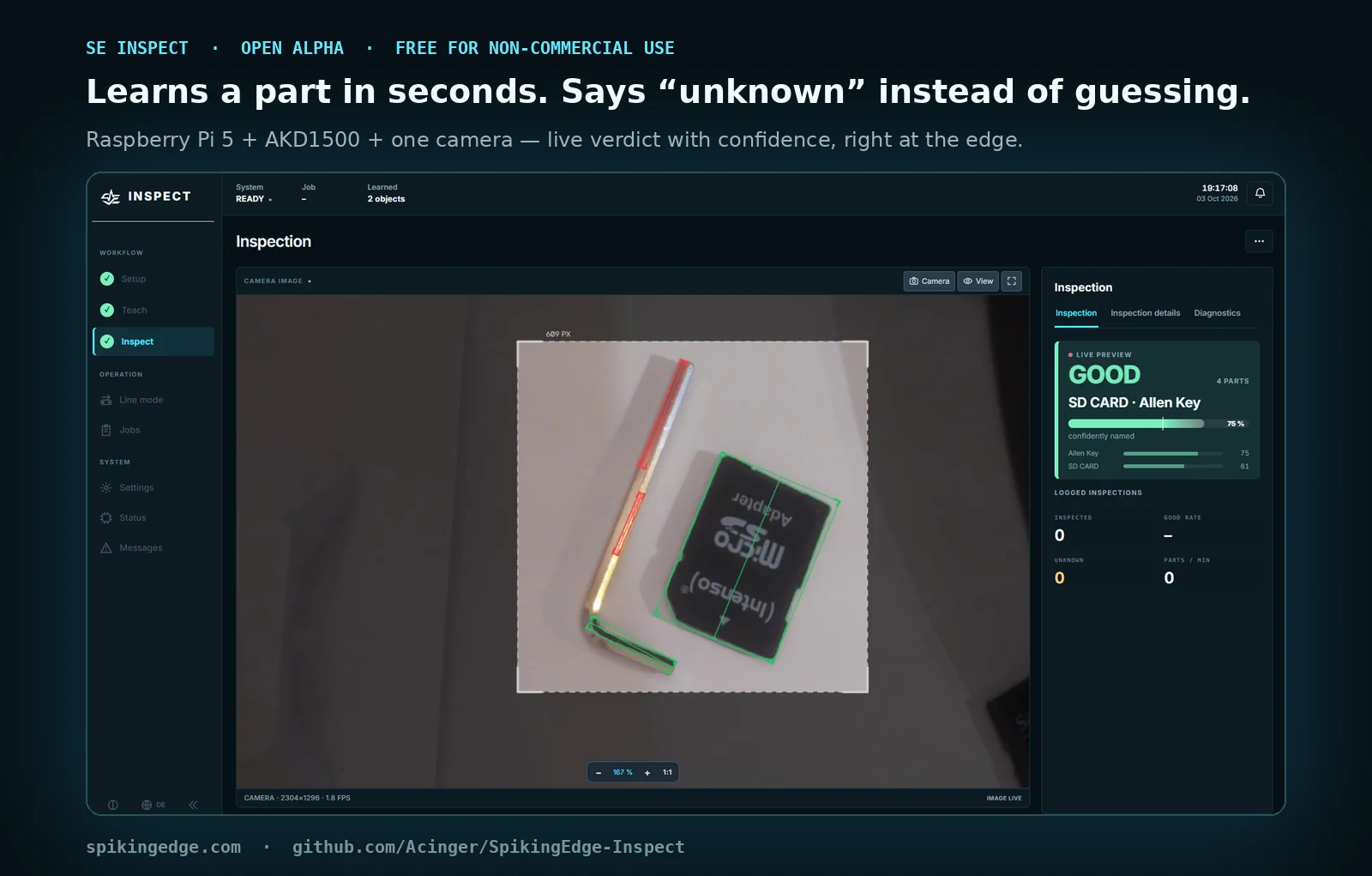
Repository: github.com/Acinger/SpikingEdge-Inspect · current release v1.0.0-alpha.4 (2026-11-01) — release notes, source archive. It is an alpha: it runs, it is benched without hardware in CI, and alpha.4 was measured on the bench against a 48-scene test set — single parts 29/30, foreign parts of the same outline 4/5 reported as unknown, false-confident names 1/59. The limits are in the release notes. Read them before relying on it.
What you need
New: Configure your cell — six questions, then a parts list, wiring sketch, your guide chapters and the configuration files for the Pi.
One Raspberry Pi 5, one AKD1500 M.2 card on a carrier (PCIe link), one Camera Module 3. Everything else — more cards, belt, arm — is optional and described in guide chapters 01 and 02. This alpha is the single-camera version: delivery and pickup zones come from the same camera. Without any hardware, the synthetic mode runs on a laptop.
Three ways in
A. Five minutes, no hardware (laptop).
git clone https://github.com/Acinger/SpikingEdge-Inspect.git && cd SpikingEdge-Inspect
bash install.sh --laptop
source ~/akida-env/bin/activate
python3 tools/run_web.py --synthetisch --port 8080
Expected: http://localhost:8080 shows the full operator UI (German/English) with synthetic scenes; the footer shows 1.0.0-alpha.4; the hint line says Chip-Lernen bereit: CPU-Ersatz — learning and recognition run in software, same numbers, slower, no hardware claim.
B. Thirty minutes, one card (Pi 5).
git clone https://github.com/Acinger/SpikingEdge-Inspect.git ~/vorsa-m3 && cd ~/vorsa-m3
bash install.sh
It checks the OS, proves the camera, installs packages, builds the patched driver, creates both Python environments, installs the service and prints the build string — stopping at every checkpoint with [OK] or [FEHLT] <what to do>, and writing install.log, which is what to attach to a bug report.
C. The full cell. All twelve guide chapters, SAFETY.md first. Configure your cell gives you a link; bash install.sh --config "<link>" writes start.local.sh, eaio.json, sps.json and pruef.json from it (existing files are kept as *.vor-<time>). By hand: a start.local.sh next to start.sh with export VORSA_PROFIL=linie, export VORSA_BAND=relais, export VORSA_ARM=uno.
Versions
| Tag | Date | Contents |
|---|---|---|
| v1.0.0-alpha.4 | 2026-11-01 | Appearance check: a part with the right outline but foreign appearance becomes "unknown" (bench: 4/5 foreign parts, false-confident 1/59, single parts 29/30); stray parts taught as background can win; fix for a regression in builds 1.9.76–1.9.79 that we caught on our own bench; per-scene view of the test run; diagnostics (switches, partial test runs, mask image). Known limit: chrome parts on white paper |
| v1.0.0-alpha.3 | 2026-10-04 | The cell learns from operation (unknown parts grouped as suggestions → new object → train); threshold measured on the test set with per-object calibration and an honest "compromise" label; persistent journal with 24 h / 14 day trend and drift warning; M3 training with real progress (was silently slow); test run now uses the empty image like live recognition; rotation survives restarts; installer --config; full backup/restore. Bench: 48-scene test set on a Pi 5 with four AKD1500 — limits in the notes |
| v1.0.0-alpha.2 | 2026-10-03 | Guided workflow (Setup → Teach → Inspect, first-steps assistant), one settings window, jobs, object cards, live preview vs. logged inspections; digital I/O (simulation / GPIO / Modbus I/O module), Modbus TCP PLC interface, user roles with PIN — I/O paths untested on real hardware |
| v1.0.0-alpha.1 | 2026-10-02 | First public alpha, SE Inspect: stationary profile (no belt/arm, hand or auto trigger), single-camera line profile, multi-frame averaging, hypotheses for overlaps, card distributor over 1–4 AKD1500, CPU stand-in, test-set tool, bilingual UI, camera dock, installer, CI benches |
| 1.9.37 (lab) | 2026-09-27 | VORSA INSPECT prototype: ensemble learning, "Why recognised?", two-camera fusion, flow-mode line, card watchdog, UI 2.2 — not published as a tag |
Every release carries full release notes on GitHub (what is new, what was fixed, known limitations, how to upgrade). Between releases, CHANGELOG.md in the repository lists every build with its reproducible patch script. Learned state is versioned; older states are relearned automatically.
Licence in three sentences
Non-commercial use is free under PolyForm Noncommercial 1.0.0 — research, teaching, private benches, and redistribution of modified versions under the same licence. Commercial use (products, services, production operation) needs an agreement: hello@spikingedge.com. BrainChip's driver and SDK are obtained from BrainChip under their terms; we link, we do not bundle.
Contribute
Issues and discussions on the repository. Pull requests run the benches (tools/test_*.py, run_selftest.py, the UI smoke test) in CI without hardware. Contributions are accepted under a Developer Certificate of Origin (Signed-off-by) and a short Contributor Licence Agreement, so that your contribution can be part of both the non-commercial release and any commercial agreement; you keep your copyright and are credited. One rule from our own history: one file, one editor at a time — the UI file is patched, never replaced wholesale.
Verified hardware
A community table: Pi model, OS/kernel, carrier board, card count, firmware, akida version, date, "works / works with notes". Ours is the first row (Pi 5 8 GB · Bookworm · 6.12 · 4 × AKD1500 M.2 behind a PCIe switch · BC.A1.003.009 · 2.19.3 · 2026-09). Send yours with the six facts from Evidence → Methods.
Cite
BibTeX on the Cite page; a DOI per release will follow.